
3.2 KiB
3.2 KiB
title: "Column views | Apple Developer Documentation"
source: https://developer.apple.com/design/human-interface-guidelines/column-views
# Column views
A column view — also called a browser — lets people view and navigate a data hierarchy using a series of vertical columns.
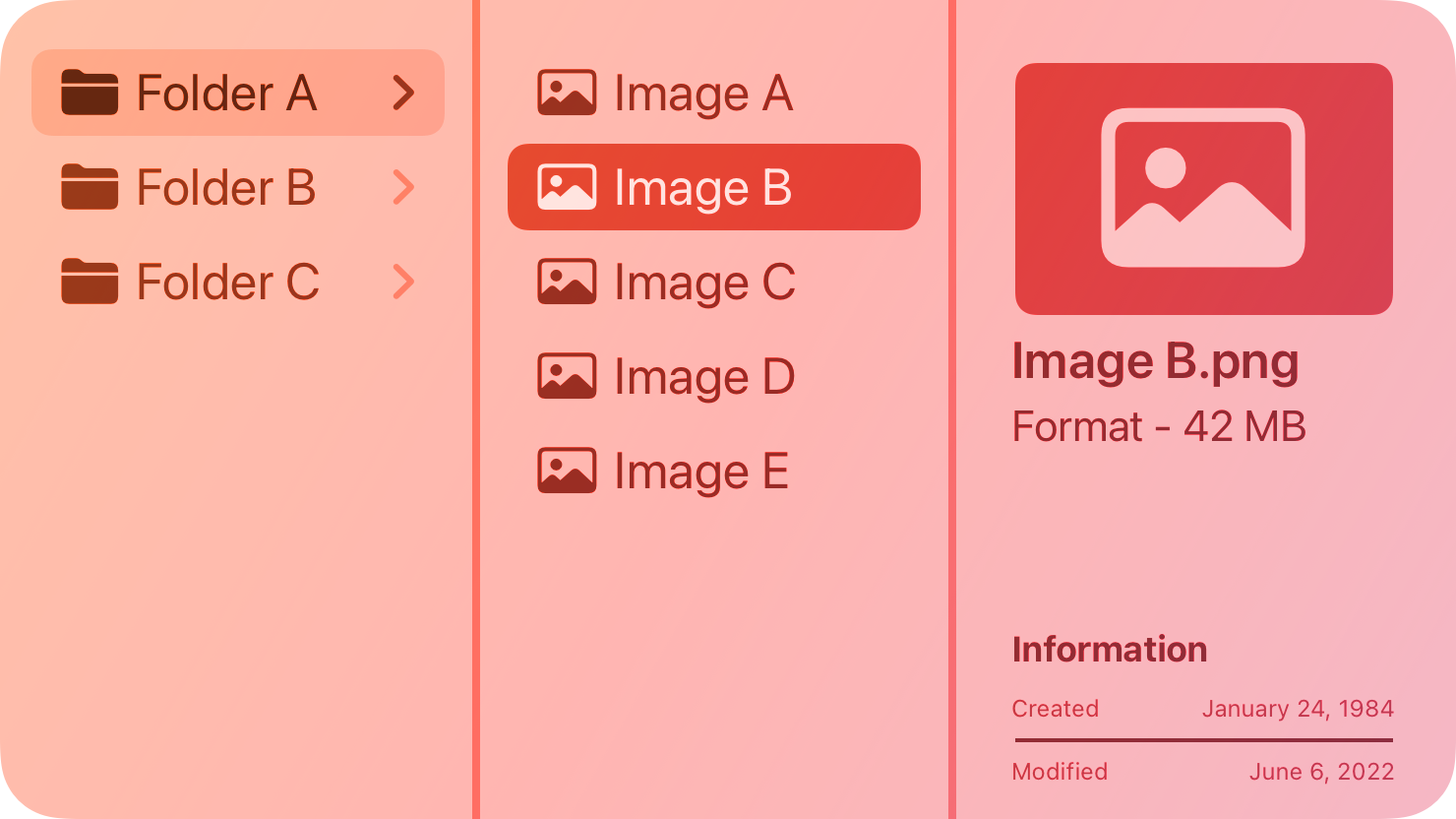 Each column represents one level of the hierarchy and contains horizontal rows of data items. Within a column, any parent item that contains nested child items is marked with a triangle icon. When people select a parent, the next column displays its children. People can continue navigating in this way until they reach an item with no children, and can also navigate back up the hierarchy to explore other branches of data.
Note
If you need to manage the presentation of hierarchical content in your iPadOS or visionOS app, consider using a split view.
## Best practices
Consider using a column view when you have a deep data hierarchy in which people tend to navigate back and forth frequently between levels, and you don’t need the sorting capabilities that a list or table provides. For example, Finder offers a column view (in addition to icon, list, and gallery views) for navigating directory structures.
Show the root level of your data hierarchy in the first column. People know they can quickly scroll back to the first column to begin navigating the hierarchy from the top again.
Consider showing information about the selected item when there are no nested items to display. The Finder, for example, shows a preview of the selected item and information like the creation date, modification date, file type, and size.
Let people resize columns. This is especially important if the names of some data items are too long to fit within the default column width.
## Platform considerations
Not supported in iOS, iPadOS, tvOS, visionOS, or watchOS.
## Resources
#### Related
Lists and tables
Outline views
Split views
#### Developer documentation
Each column represents one level of the hierarchy and contains horizontal rows of data items. Within a column, any parent item that contains nested child items is marked with a triangle icon. When people select a parent, the next column displays its children. People can continue navigating in this way until they reach an item with no children, and can also navigate back up the hierarchy to explore other branches of data.
Note
If you need to manage the presentation of hierarchical content in your iPadOS or visionOS app, consider using a split view.
## Best practices
Consider using a column view when you have a deep data hierarchy in which people tend to navigate back and forth frequently between levels, and you don’t need the sorting capabilities that a list or table provides. For example, Finder offers a column view (in addition to icon, list, and gallery views) for navigating directory structures.
Show the root level of your data hierarchy in the first column. People know they can quickly scroll back to the first column to begin navigating the hierarchy from the top again.
Consider showing information about the selected item when there are no nested items to display. The Finder, for example, shows a preview of the selected item and information like the creation date, modification date, file type, and size.
Let people resize columns. This is especially important if the names of some data items are too long to fit within the default column width.
## Platform considerations
Not supported in iOS, iPadOS, tvOS, visionOS, or watchOS.
## Resources
#### Related
Lists and tables
Outline views
Split views
#### Developer documentation
Each column represents one level of the hierarchy and contains horizontal rows of data items. Within a column, any parent item that contains nested child items is marked with a triangle icon. When people select a parent, the next column displays its children. People can continue navigating in this way until they reach an item with no children, and can also navigate back up the hierarchy to explore other branches of data.
Note
If you need to manage the presentation of hierarchical content in your iPadOS or visionOS app, consider using a split view.
## Best practices
Consider using a column view when you have a deep data hierarchy in which people tend to navigate back and forth frequently between levels, and you don’t need the sorting capabilities that a list or table provides. For example, Finder offers a column view (in addition to icon, list, and gallery views) for navigating directory structures.
Show the root level of your data hierarchy in the first column. People know they can quickly scroll back to the first column to begin navigating the hierarchy from the top again.
Consider showing information about the selected item when there are no nested items to display. The Finder, for example, shows a preview of the selected item and information like the creation date, modification date, file type, and size.
Let people resize columns. This is especially important if the names of some data items are too long to fit within the default column width.
## Platform considerations
Not supported in iOS, iPadOS, tvOS, visionOS, or watchOS.
## Resources
#### Related
Lists and tables
Outline views
Split views
#### Developer documentation
NSBrowser — AppKit