
2.9 KiB
2.9 KiB
title: "Dock menus | Apple Developer Documentation"
source: https://developer.apple.com/design/human-interface-guidelines/dock-menus
# Dock menus
On a Mac, people can secondary click an app’s or game’s icon in the Dock to reveal a Dock menu, which presents both system-provided and custom items.
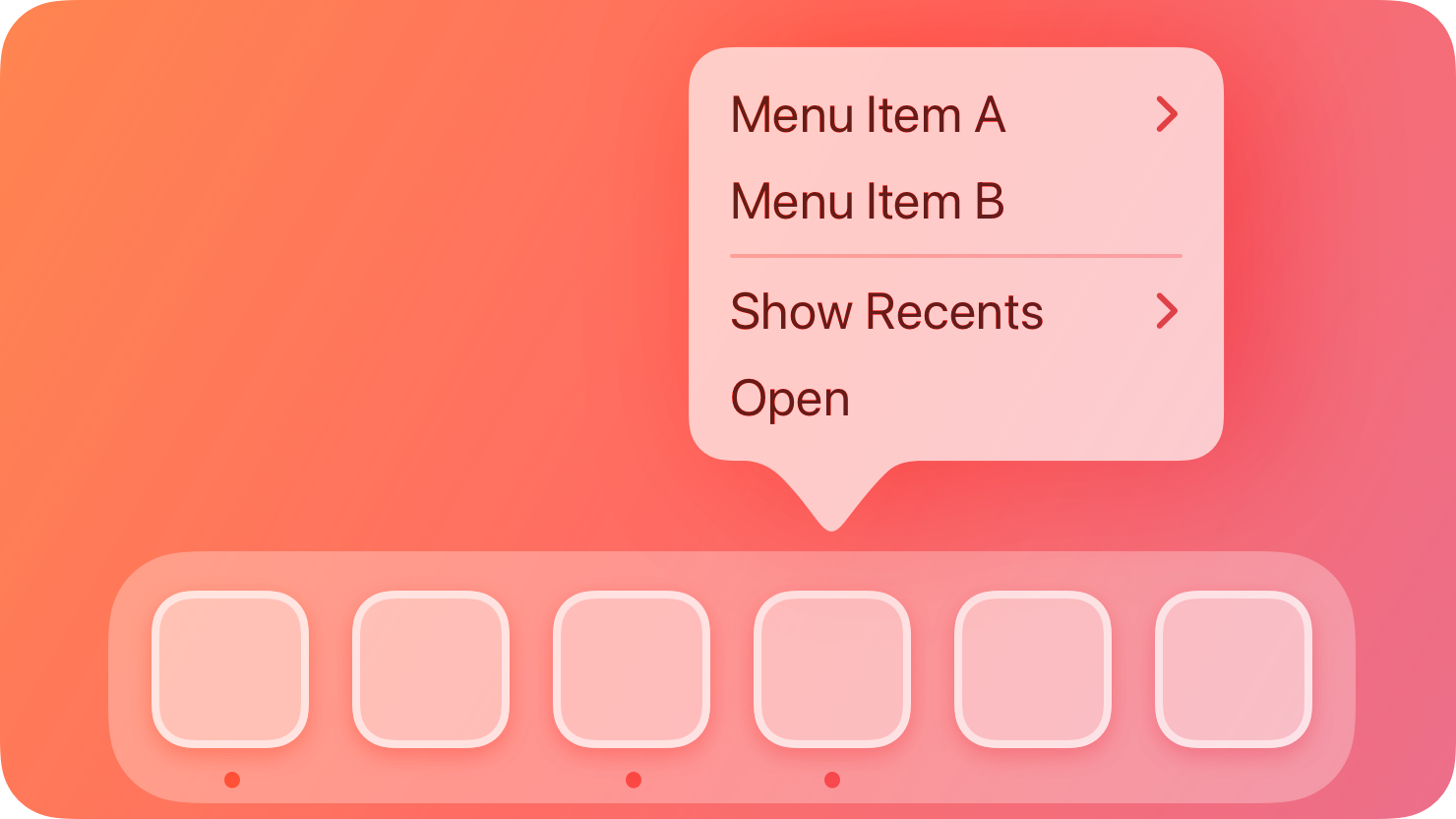 The system-provided Dock menu items can vary depending on whether the app is open. For example, the Dock menu for Safari includes menu items for actions like viewing a current window or creating a new window.
Note
Although iOS and iPadOS don’t support a Dock menu, people can reveal a similar menu of system-provided and custom items — called Home Screen quick actions — when they long press an app icon on the Home Screen or in the Dock. For guidance, see Home Screen quick actions.
## Best practices
As with all menus, you need to label Dock menu items succinctly and organize them logically. For guidance, see Menus.
Make custom Dock menu items available in other places, too. Not everyone uses a Dock menu, so it’s important to offer the same commands elsewhere, like in your menu bar menus or within your interface.
Prefer high-value custom items for your Dock menu. For example, a Dock menu can list all currently or recently open windows, making it a convenient way to jump to the window people want. Also consider listing a few of the actions that are most likely to be useful when your app isn’t frontmost or when there are no open windows. For example, Mail includes items for getting new mail and composing a new message in addition to listing all open windows.
## Platform considerations
Not supported in iOS, iPadOS, tvOS, visionOS, or watchOS.
## Resources
#### Related
Menus
Home Screen quick actions
#### Developer documentation
The system-provided Dock menu items can vary depending on whether the app is open. For example, the Dock menu for Safari includes menu items for actions like viewing a current window or creating a new window.
Note
Although iOS and iPadOS don’t support a Dock menu, people can reveal a similar menu of system-provided and custom items — called Home Screen quick actions — when they long press an app icon on the Home Screen or in the Dock. For guidance, see Home Screen quick actions.
## Best practices
As with all menus, you need to label Dock menu items succinctly and organize them logically. For guidance, see Menus.
Make custom Dock menu items available in other places, too. Not everyone uses a Dock menu, so it’s important to offer the same commands elsewhere, like in your menu bar menus or within your interface.
Prefer high-value custom items for your Dock menu. For example, a Dock menu can list all currently or recently open windows, making it a convenient way to jump to the window people want. Also consider listing a few of the actions that are most likely to be useful when your app isn’t frontmost or when there are no open windows. For example, Mail includes items for getting new mail and composing a new message in addition to listing all open windows.
## Platform considerations
Not supported in iOS, iPadOS, tvOS, visionOS, or watchOS.
## Resources
#### Related
Menus
Home Screen quick actions
#### Developer documentation
The system-provided Dock menu items can vary depending on whether the app is open. For example, the Dock menu for Safari includes menu items for actions like viewing a current window or creating a new window.
Note
Although iOS and iPadOS don’t support a Dock menu, people can reveal a similar menu of system-provided and custom items — called Home Screen quick actions — when they long press an app icon on the Home Screen or in the Dock. For guidance, see Home Screen quick actions.
## Best practices
As with all menus, you need to label Dock menu items succinctly and organize them logically. For guidance, see Menus.
Make custom Dock menu items available in other places, too. Not everyone uses a Dock menu, so it’s important to offer the same commands elsewhere, like in your menu bar menus or within your interface.
Prefer high-value custom items for your Dock menu. For example, a Dock menu can list all currently or recently open windows, making it a convenient way to jump to the window people want. Also consider listing a few of the actions that are most likely to be useful when your app isn’t frontmost or when there are no open windows. For example, Mail includes items for getting new mail and composing a new message in addition to listing all open windows.
## Platform considerations
Not supported in iOS, iPadOS, tvOS, visionOS, or watchOS.
## Resources
#### Related
Menus
Home Screen quick actions
#### Developer documentation
applicationDockMenu(_:) — AppKit