
33 lines
1.8 KiB
Markdown
33 lines
1.8 KiB
Markdown
---
|
|
title: "Digit entry views | Apple Developer Documentation"
|
|
source: https://developer.apple.com/design/human-interface-guidelines/digit-entry-views
|
|
|
|
# Digit entry views
|
|
|
|
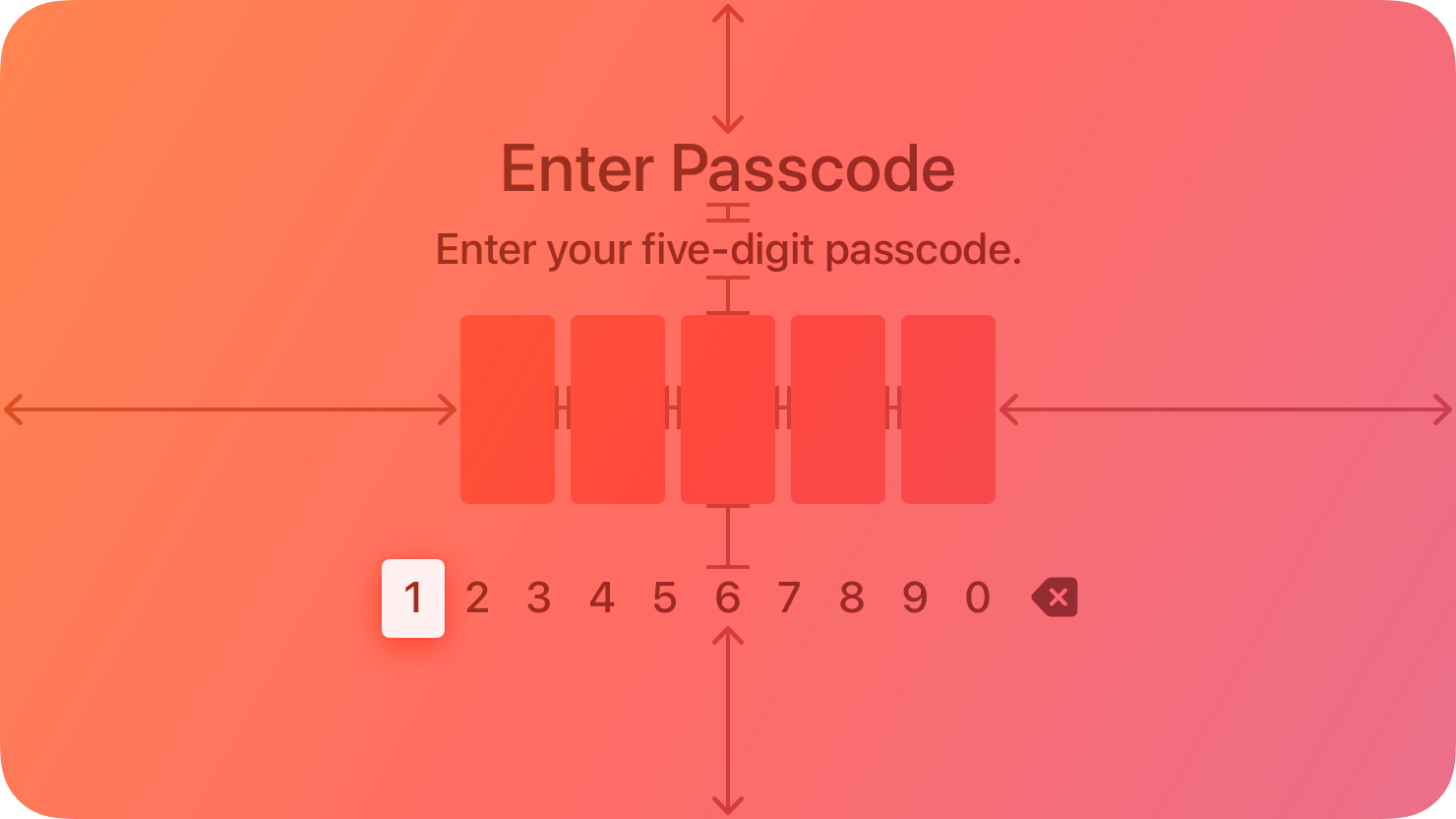
A digit entry view fills the entire screen and prompts people to enter a series of digits, like a PIN, using a digit-specific keyboard.
|
|
|
|
|
|
|
|
You can add an optional title and prompt above the line of digits.
|
|
|
|
## [Best practices](https://developer.apple.com/design/human-interface-guidelines/digit-entry-views#Best-practices)
|
|
|
|
**Use secure digit fields.** Secure digit fields display asterisks instead of the entered digit onscreen. Always use a secure digit field when your app asks for sensitive data.
|
|
|
|
**Clearly state the purpose of the digit entry view.** Use a title and prompt that explains why someone needs to enter digits.
|
|
|
|
## [Platform considerations](https://developer.apple.com/design/human-interface-guidelines/digit-entry-views#Platform-considerations)
|
|
|
|
_Not supported in iOS, iPadOS, macOS, visionOS, or watchOS._
|
|
|
|
## [Resources](https://developer.apple.com/design/human-interface-guidelines/digit-entry-views#Resources)
|
|
|
|
#### [Related](https://developer.apple.com/design/human-interface-guidelines/digit-entry-views#Related)
|
|
|
|
[Virtual keyboards](https://developer.apple.com/design/human-interface-guidelines/virtual-keyboards)
|
|
|
|
#### [Developer documentation](https://developer.apple.com/design/human-interface-guidelines/digit-entry-views#Developer-documentation)
|
|
|
|
[`TVDigitEntryViewController`](https://developer.apple.com/documentation/TVUIKit/TVDigitEntryViewController) — TVUIKit
|
|
|