
49 lines
3.7 KiB
Markdown
49 lines
3.7 KiB
Markdown
---
|
||
title: "Token fields | Apple Developer Documentation"
|
||
source: https://developer.apple.com/design/human-interface-guidelines/token-fields
|
||
|
||
# Token fields
|
||
|
||
A token field is a type of text field that can convert text into _tokens_ that are easy to select and manipulate.
|
||
|
||
|
||
|
||
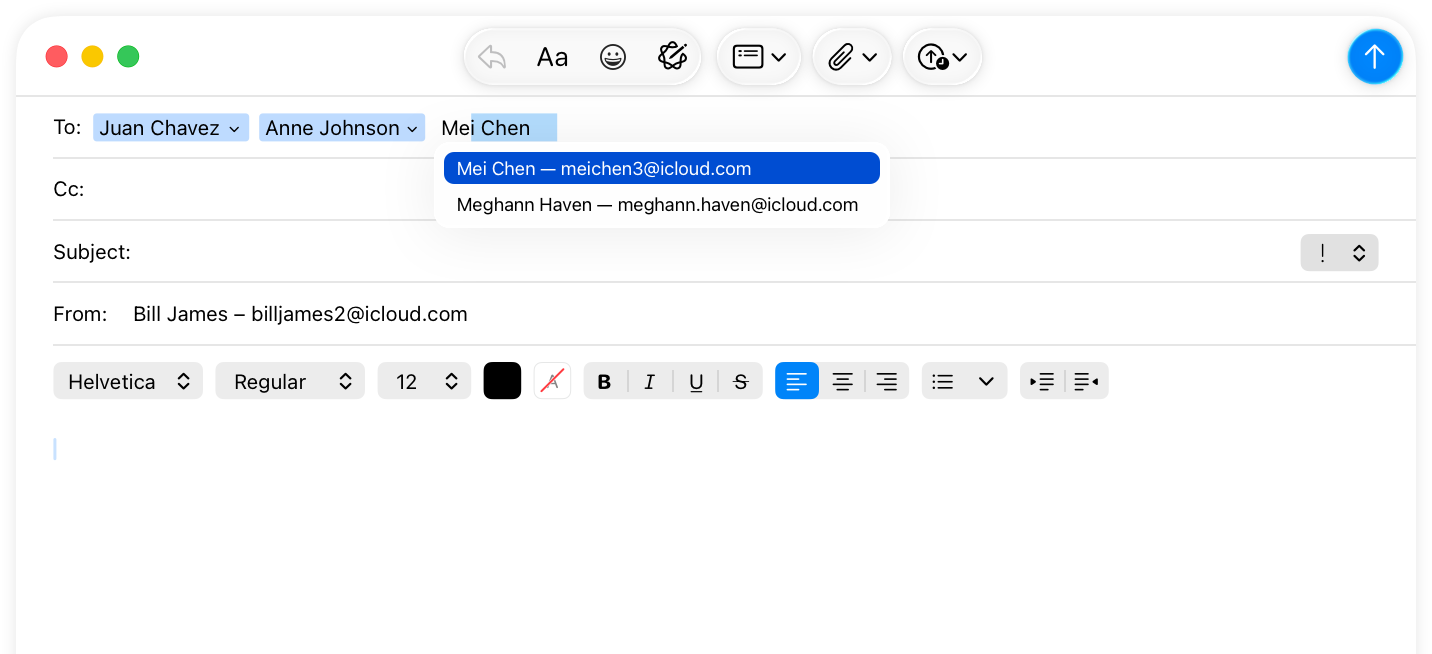
For example, Mail uses token fields for the address fields in the compose window. As people enter recipients, Mail converts the text that represents each recipient’s name into a token. People can select these recipient tokens and drag to reorder them or move them into a different field.
|
||
|
||
You can configure a token field to present people with a list of suggestions as they enter text into the field. For example, Mail suggests recipients as people type in an address field. When people select a suggested recipient, Mail inserts the recipient into the field as a token.
|
||
|
||
|
||
|
||
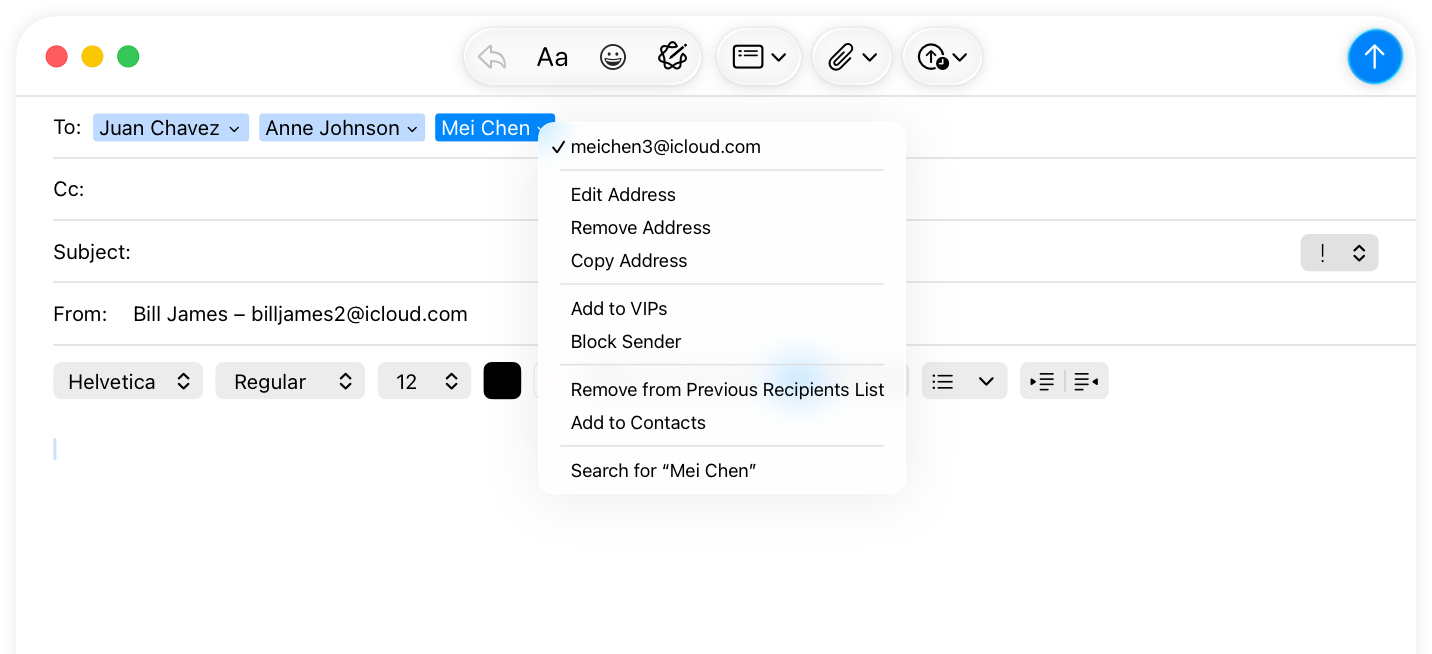
An individual token can also include a contextual menu that offers information about the token or editing options. For example, a recipient token in Mail includes a contextual menu with commands for editing the recipient name, marking the recipient as a VIP, and viewing the recipient’s contact card, among others.
|
||
|
||
|
||
|
||
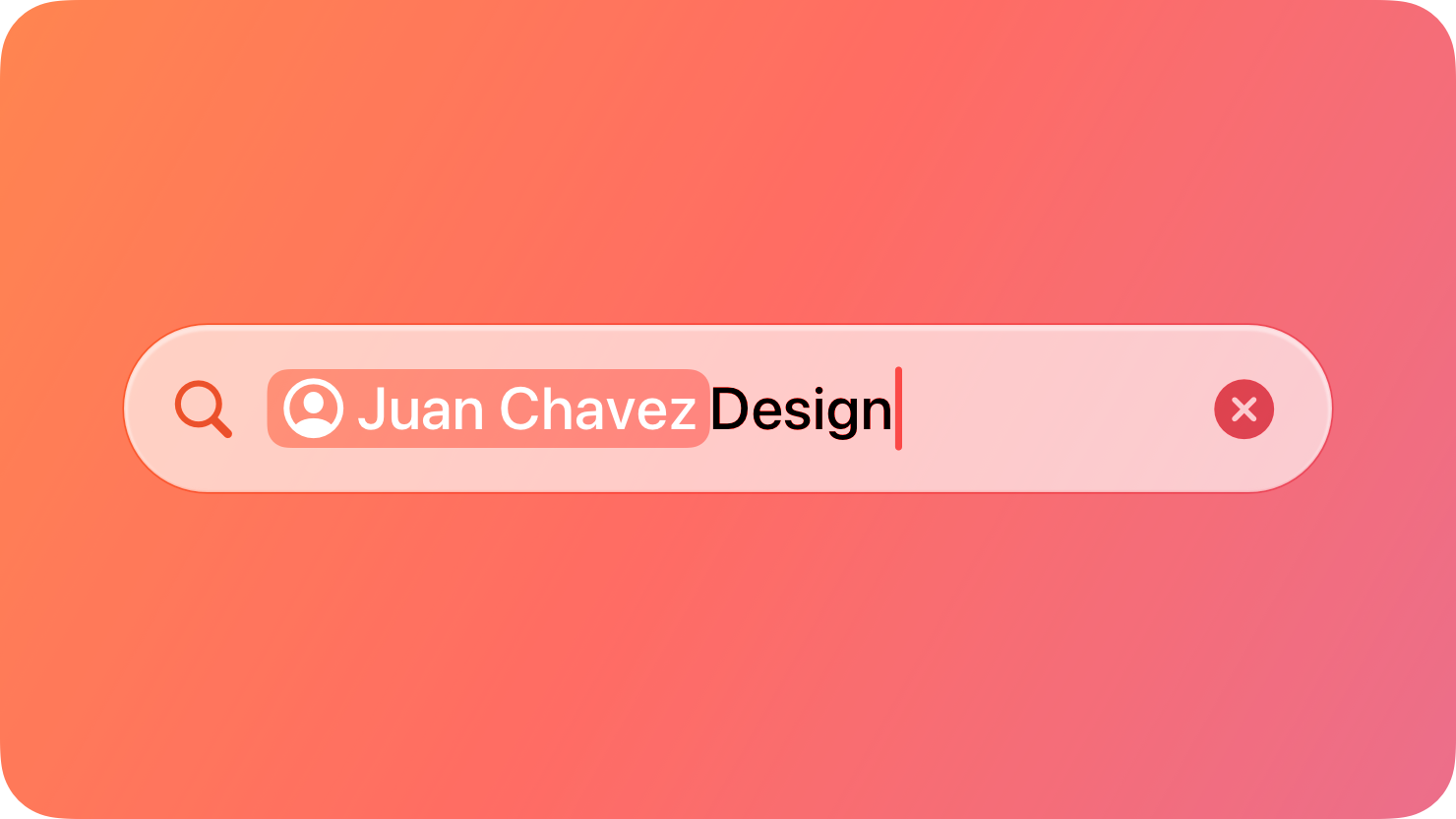
Tokens can also represent search terms in some situations; for guidance, see [Search fields](https://developer.apple.com/design/human-interface-guidelines/search-fields).
|
||
|
||
## [Best practices](https://developer.apple.com/design/human-interface-guidelines/token-fields#Best-practices)
|
||
|
||
**Add value with a context menu.** People often benefit from a [context menu](https://developer.apple.com/design/human-interface-guidelines/context-menus) with additional options or information about a token.
|
||
|
||
**Consider providing additional ways to convert text into tokens.** By default, text people enter turns into a token whenever they type a comma. You can specify additional shortcuts, such as pressing Return, that also invoke this action.
|
||
|
||
**Consider customizing the delay the system uses before showing suggested tokens.** By default, suggestions appear immediately. However, suggestions that appear too quickly may distract people while they’re typing. If your app suggests tokens, consider adjusting the delay to a comfortable level.
|
||
|
||
## [Platform considerations](https://developer.apple.com/design/human-interface-guidelines/token-fields#Platform-considerations)
|
||
|
||
_Not supported in iOS, iPadOS, tvOS, visionOS, and watchOS._
|
||
|
||
## [Resources](https://developer.apple.com/design/human-interface-guidelines/token-fields#Resources)
|
||
|
||
#### [Related](https://developer.apple.com/design/human-interface-guidelines/token-fields#Related)
|
||
|
||
[Text fields](https://developer.apple.com/design/human-interface-guidelines/text-fields)
|
||
|
||
[Search fields](https://developer.apple.com/design/human-interface-guidelines/search-fields)
|
||
|
||
[Context menus](https://developer.apple.com/design/human-interface-guidelines/context-menus)
|
||
|
||
#### [Developer documentation](https://developer.apple.com/design/human-interface-guidelines/token-fields#Developer-documentation)
|
||
|
||
[`NSTokenField`](https://developer.apple.com/documentation/AppKit/NSTokenField) — AppKit
|
||
|